Retro handhelds come in two broad kinds. Some are built to play old cartridges or official re-releases. Others are small modern computers made to look back, and they are described by their screen, chip and battery like any gadget. Whichever you are weighing up, the same four things decide whether it is pleasant to use: the screen, the battery, the controls and the build.
Start With the Games You Want to Play
Work backwards from the games. A handheld that plays the library you care about beats a more powerful one that does not. There are three common routes:
- Original cartridges – Some modern handhelds have a slot for the old cartridges. The Analogue Pocket, for example, has a Game Boy Game Pak slot that takes Game Boy, Game Boy Color and Game Boy Advance cartridges directly, and needs adapters for other systems such as the Atari Lynx or Neo Geo Pocket.
- Licensed re-releases – Evercade, made by the British company Blaze Entertainment, uses flash-memory cartridges that usually hold between 5 and 20 games each, from publishers that have agreed to the re-release.
- Emulation – Many low-cost handhelds, such as the Anbernic and Miyoo models, are small computers that run software to imitate older consoles. That is a different thing from a console built to play original or licensed games, and the copyright side is covered in our guide to handhelds and plug-in consoles.
The Screen
You will spend all your time looking at it, so it deserves the most attention. Look at four details.
- Shape and resolution – Old consoles used small, odd-shaped screens. The original Game Boy's is 160 by 144 pixels, a 10:9 shape. The Game Boy Advance's is 240 by 160, which is 3:2. A screen that matches the shape of the games you play shows them with fewer black borders and less stretching. The Analogue Pocket's panel is 1600 by 1440, exactly ten times the Game Boy's in each direction, which is a tidy way to show those games sharply.
- Size – A 3.5-inch screen, like the Analogue Pocket's, feels very different from the 4.3-inch screen on the Evercade handheld, which is 480 by 272 pixels. Larger is easier to read, but the whole device grows with it.
- Backlight – The first Game Boy and the original Game Boy Advance had no backlight at all, and a CNET reviewer found the Advance nearly impossible to use in normal lighting. The later Game Boy Advance SP added a lit screen, and the Playdate still has a reflective screen with no backlight, which reviewers criticised. If you play in the evening or on a train, make sure the handheld you choose lights its own screen.
- Glare – A glossy screen can reflect windows and lamps. Photos and owner reviews that show the screen on in a normal room tell you more than a spec sheet.
The Battery
Two numbers matter: the capacity and the maker's stated hours. Capacity is given in milliamp-hours (mAh). The Analogue Pocket has a 4,300 mAh lithium-ion battery with a stated life of 6 to 10 hours, and the Evercade handheld has a 2,000 mAh rechargeable battery. Capacity figures are only a fair comparison between devices with similar screens and chips, so rely on stated hours and on owner reviews that report real play time.
Old handhelds ran on disposable batteries: four AA cells for up to 30 hours on the original Game Boy and two for up to 15 hours on the Game Boy Advance. Modern ones charge over USB-C, which means you can top them up with a power bank or a phone charger you already own. A rechargeable battery makes the handheld lighter and cheaper to run, but it eventually wears out, so check whether the back opens for a replacement. For tips on making a battery last, read how to look after a retro handheld's battery and screen.
Controls
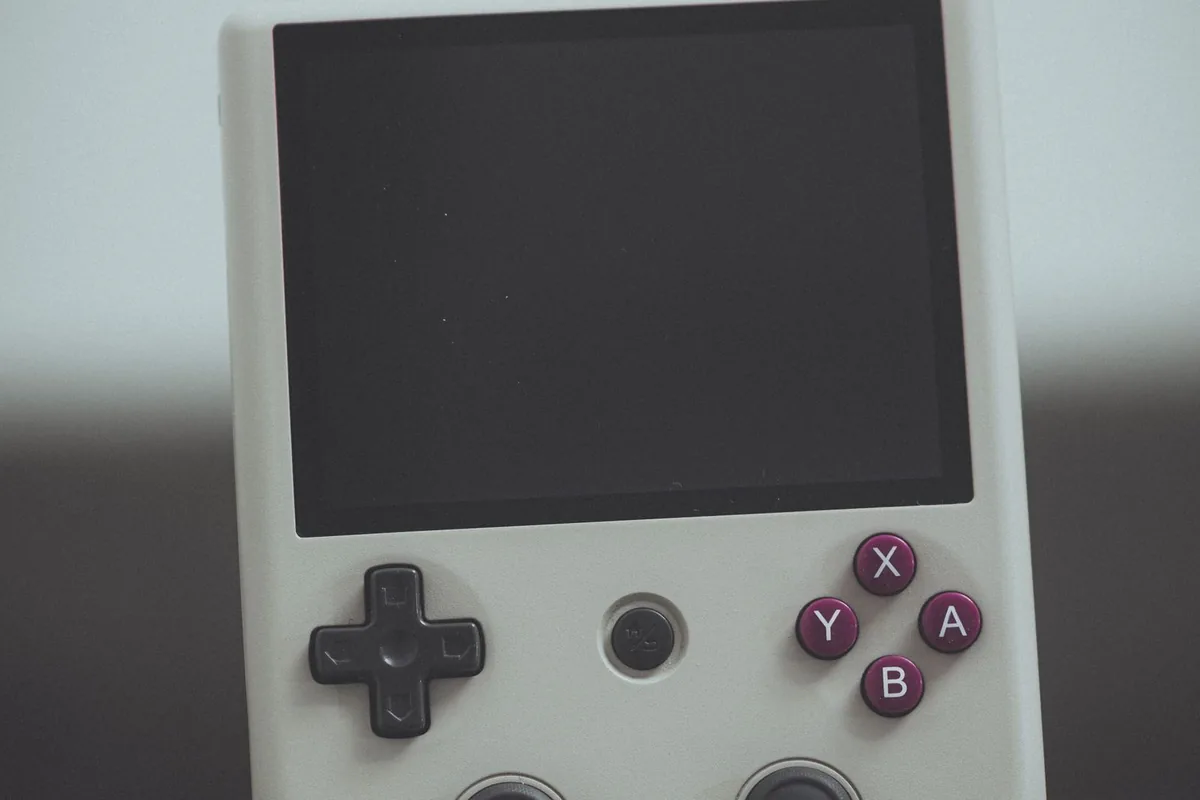
Retro games were designed around a d-pad, so the d-pad is the most important control on the device. Check these points in reviews:
- D-pad feel – It should let you press clean diagonals and rolls without registering a direction you did not mean. Fighting games and platformers show up a poor one quickly.
- Face buttons and shoulder buttons – Older systems had two to six buttons. The Analogue Pocket has a d-pad and eight action buttons, plus menu, volume and power buttons. Count the buttons the games you want need and compare.
- Thumbsticks – These matter for games from the 3D era and are not a bonus for games from before it. Some retro-style handhelds have them, and some clamshell models that copy the shape of the Game Boy Advance SP have none.
- Comfort – A small handheld can cramp large hands in short sessions. Look at the dimensions and weight and think about how long you usually play.
Build and Design
Retro handhelds come in a few shapes: the horizontal slab, the upright Game Boy shape, the clamshell, and tiny novelty models that are closer to a keyring. The clamshell, as on the Game Boy Advance SP, folds the screen over the buttons, which protects it in a bag. A slab with an exposed screen needs a case or sleeve.
Look for a firm case with no creak when you squeeze it, buttons that do not rattle, and a USB-C port that sits firmly. Check what you get for a charger, since some boxes include a cable only. Also look at the warranty and return terms from the seller, because small handhelds are often sold by brands with limited support. If a handheld uses a memory card, find out what card sizes it accepts, as that decides how many saves and games you can keep on it.
Extras That Are Worth Having
- TV output – Some handhelds can connect to a television through a dock. The Analogue Dock for the Pocket connects over USB-C, adds HDMI output and supports wireless controllers.
- Save states and screen filters – Common on emulation handhelds and useful on a commute, since you can stop and carry on from the same place.
- Headphone socket and speaker quality – Check that there is a headphone socket, especially if you plan to play in public.
A Short Checklist
- Does it play the games you want, in a way that is straightforward and legal?
- Is the screen the right shape for them, and does it light itself?
- Is the stated battery life enough for your longest sessions, and is it USB-C rechargeable?
- Does the d-pad feel right, and are there enough buttons?
- Does the case feel solid, and is there a warranty you can use?
Final Thoughts
Pick the screen and games first, then the battery, then the d-pad. A handheld with a bright, correctly shaped screen and a good d-pad will feel right for years, even if its chip is modest. Read owner reviews with photos before buying, and keep the box until you have had a good play.
We may earn a commission when you buy through links on our site. Learn more · How we rank products